

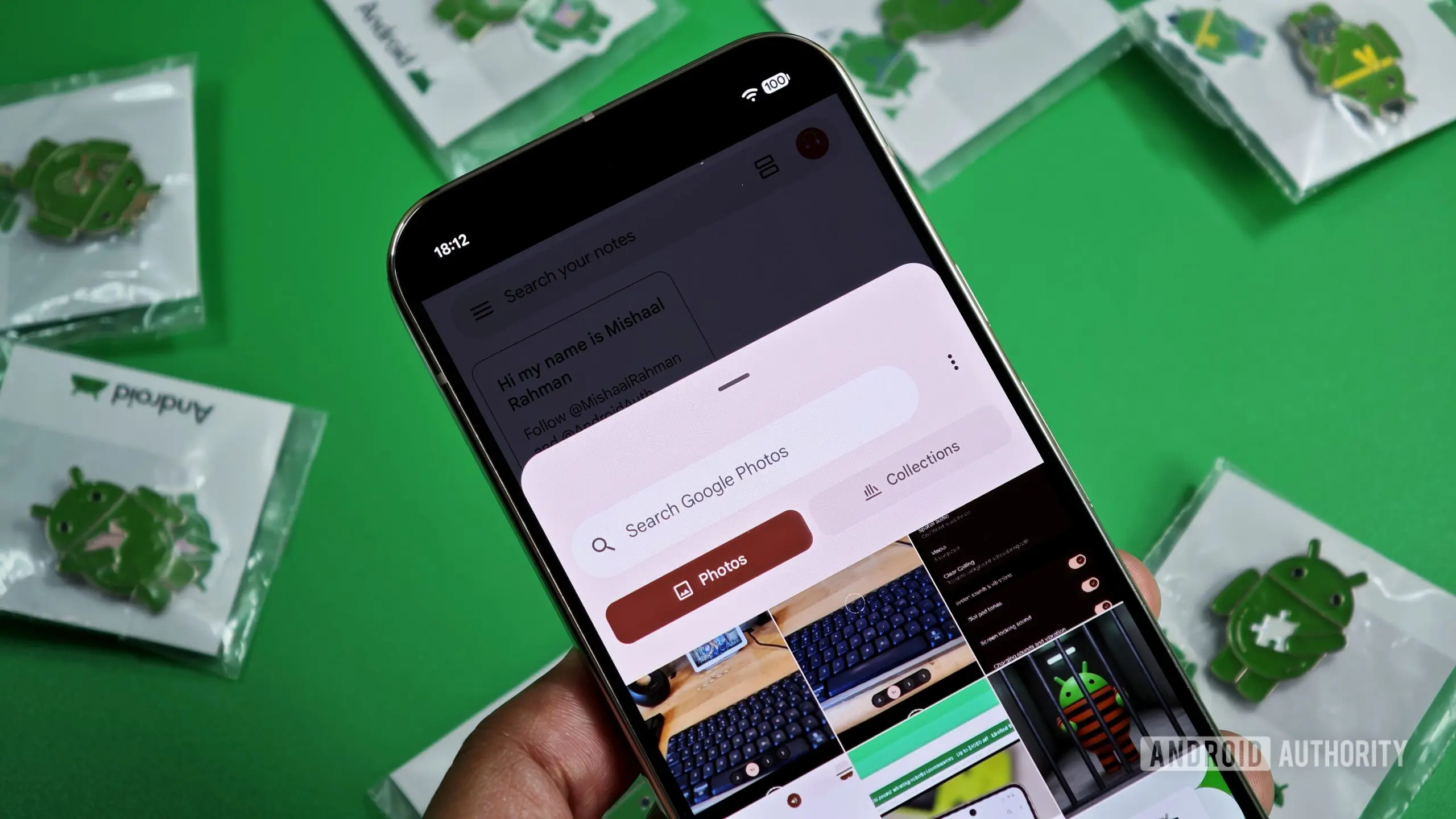
Android's Photo Picker is a system-level component that provides third-party apps with a secure, browsable interface for accessing media library content. It was designed to address a long-standing privacy problem: before its introduction, apps often required broad storage permissions to let users select a single photo or video. With the Photo Picker, users can grant access only to the specific items they choose, while apps never see the rest of the library. This represents a significant step forward in user privacy, and it also saves developers the effort of building their own file-selection UI.
Now, Google appears to be taking the Photo Picker a step further. Recent code analysis of Android 17 QPR2 Beta 2 suggests that Google is laying the groundwork to add a built-in media editor directly into the Photo Picker. This would allow users to make quick edits—such as cropping or marking—without leaving the current app or switching to a separate gallery application. For anyone who regularly shares media from their phone, this could eliminate a major source of friction.
The Current Problem: Tedious App Switching
Today, when you use an app that integrates the Android Photo Picker, the workflow is straightforward if you simply want to select existing media and share it. However, a common annoyance arises when you realize that the photo you have chosen needs a quick edit before you send it. Perhaps you want to crop it to a specific aspect ratio, or you need to draw attention to a particular detail with a mark or highlight.
With the current design, you have to abandon the Photo Picker and minimize the third-party app you were using. Then you need to navigate to your phone's gallery or media management app, locate the same image, open it in an editor, make the desired changes, and ensure you save the edited version. After that, you must return to the original app, reopen the Photo Picker, and start the selection process again. This tedious back-and-forth creates unnecessary friction and can interrupt the flow of a conversation or task.
It is exactly this problem that Google seems ready to solve. By embedding editing tools directly into the Photo Picker interface, users could make quick adjustments at the point of selection, without ever leaving the context of the third-party app.
What the Code Reveals
In Android 17 QPR2 Beta 2, which is a preview release for the next quarterly platform update, developers have spotted a new class named EditFeature. This class appears to be designed to integrate directly into the Photo Picker as a pop-up dialog. The naming is a strong hint that it is meant to provide image-editing functionality within the picker itself.
The code also contains additional clues that corroborate this interpretation, including references to actions such as cropping and marking. While the implementation is still a work in progress and not yet functional, the structure suggests that Google intends to offer a lightweight editing experience that sits on top of the selected image. Rather than launching a full-featured editor, the Photo Picker would likely provide a focused set of tools for common adjustments.
Because the Photo Picker is a Project Mainline module, it can be updated through Google Play System Updates. This means that, once the feature is complete, Google could deploy it to supported Android devices without requiring a full operating system update. As a result, users might see the new editing capabilities arrive relatively quickly after the code is finalized, and well before the next Android platform release.
Why This Matters for Users
The addition of a media editor to the Photo Picker would be a quality-of-life improvement for millions of Android users. Consider a typical scenario: you are messaging a friend and want to share a screenshot of a news article. Before sending it, you might want to crop out the irrelevant parts or highlight a key sentence. With the current Photo Picker, that requires multiple steps and app switches. With a built-in editor, you could stay in the messaging app, select the screenshot, crop it or mark it right there, and hit send.
This saves time and reduces cognitive load, as users no longer need to remember which gallery app they used last time or worry about whether the edited version was saved in the right place. It also provides a consistent editing experience across all apps that use the Android Photo Picker. Whether you are attaching a photo to an email, uploading a profile picture, or sending an image in a chat, the same set of editing tools would be available.
Why This Matters for Developers
For app developers, having a built-in editor in the Photo Picker removes the need to create custom editing interfaces for simple tasks. Many apps already include their own photo-editing features, but building and maintaining those tools takes time and resources. A system-level editor would cover basic use cases, allowing developers to focus their efforts on more advanced or app-specific functionality.
It also reduces the likelihood that users will abandon the app entirely when they need to make a quick edit. In the current workflow, a user who exits an app to edit a photo might get distracted by notifications or other content and never return. By keeping the user inside the app, developers can maintain engagement and reduce drop-off rates.
Furthermore, a standardized editor helps make the Android ecosystem feel more cohesive. Currently, the editing experience varies widely depending on which gallery app a user has installed. Some manufacturers include powerful editing suites, while others offer only basic tools. With a built-in Photo Picker editor, every device that runs the updated module would offer the same baseline experience, regardless of the device maker.
How the Photo Picker Evolved
The Android Photo Picker was introduced as part of a larger effort to improve privacy and reduce app permissions. In earlier versions of Android, apps could request permission to read all media files on a device, which was a heavy-handed approach that gave apps far more access than they actually needed. Users were often forced to accept this broad permission just to pick a single image, creating a privacy risk.
The Photo Picker was designed to change that model. Instead of granting an app access to the entire media library, the picker presents a system UI showing thumbnails of photos and videos. The user selects the items they want to share, and only those items are passed to the app. This design prevents apps from collecting data about other media on the device.
Google also made the Photo Picker available to older versions of Android via Google Play System Updates. This is part of the Project Mainline initiative, which moved core system components into updated modules that can be delivered outside the normal OS update cycle. This approach allowed millions of devices to receive the privacy benefits of the Photo Picker even if they were running older Android versions.
More recently, Google has been actively enhancing the Photo Picker. Previous code investigations revealed plans for a camera shortcut within the picker, which would let users take a new photo without having to leave the app they are using. Now, the media editor appears to be the next logical addition, further reducing the need to switch between apps for common media tasks.
What to Expect Next
It is important to note that the feature is not yet functional in the current beta. The code exists, but the interface has not been fully implemented, and users cannot activate it. This is typical of work-in-progress features, and it suggests that Google is still refining the design and underlying architecture.
As with any pre-release feature, there is no guarantee that it will appear in a public release. Planned features can be delayed or canceled based on quality, performance, or other considerations. However, the presence of a dedicated class and associated code strings is a strong indication that Google intends to ship this feature in some form.
If the rollout does proceed, users will likely see the media editor appear as a new option within the Photo Picker, perhaps as an icon or button that opens a pop-up dialog. The dialog might include tools like crop, rotate, and markup, depending on what Google decides to include in the initial version. It is also possible that Google will add more advanced tools over time, though the primary goal seems to be handling simple edits quickly.
The fact that the Photo Picker is updated via Google Play System Updates is another important factor. Once the code is ready, Google does not need to wait for phone manufacturers to develop and deliver a full system update. Instead, the new feature could roll out through the Play Store's backend, reaching devices over the course of a few weeks or months. This would make the update process faster and more reliable, and it would ensure that more users get the new functionality sooner.
For users who have grown frustrated with the current Photo Picker workflow, the prospect of a built-in editor is welcome news. It addresses a real pain point in daily mobile usage and aligns with Google's broader goal of creating a more seamless, private, and user-friendly Android experience.
While there is still some uncertainty about when this feature will be released, the groundwork is clearly being laid. As more information becomes available, it will be interesting to see exactly how Google implements the editing tools and whether they meet the expectations of users who have long wanted a faster way to edit and share media. The progress visible in Android 17 QPR2 Beta 2 suggests that change is coming, and it may not be too far away.
Source:Android Authority News