

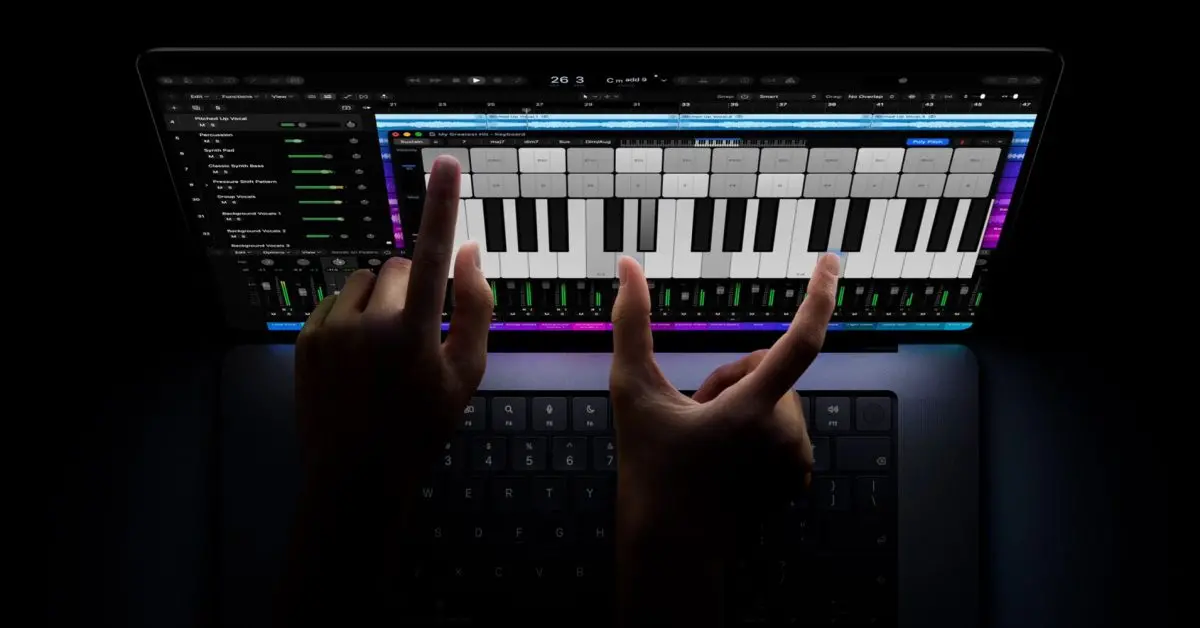
Apple Reverses Long-Held Stance on Touchscreen Macs
Apple has introduced its first Mac with a touchscreen, marking a significant reversal from the position the company held for more than a decade. The move comes roughly 16 years after Steve Jobs publicly rejected the idea of putting touch on a Mac, arguing that vertical touch surfaces are ergonomically poor for extended use. Despite that history, Apple is not positioning touch as the main way to interact with the new machine. Instead, the company frames it as an additional option alongside the trackpad and keyboard.
Jobs made his view clear in 2010, when he explained that Apple had tested touch on computers and concluded it did not work well. He said touch surfaces do not want to be vertical, that they produce a great demo but cause fatigue after short periods, and that after extended use a user’s arm wants to fall off. He described the experience as ergonomically terrible and argued that touch surfaces want to be horizontal, which is why Apple focused on perfecting multi-touch trackpads.
Apple CEO John Ternus addressed the change directly. He said touch is intended to be a supplementary way of interacting with the Mac rather than a primary one. The Mac, he explained, is first and foremost an indirect input device built around the trackpad and keyboard. But there are times when it is comfortable and handy to have touch. He also suggested that touch is not the headline feature of the new model, describing it as one more capability among many: “All of these things, and, oh yeah, it has touch as well.”
Touch Remains Secondary to Trackpad and Keyboard
The distinction matters because the first touchscreen Mac could have signaled a fundamental redesign of how macOS works. Apple’s approach appears designed to avoid that outcome. The trackpad and keyboard remain the primary control mechanisms, while touch is available for tasks where reaching for the screen feels natural. That could include scrolling through long pages, tapping a large button, or interacting with certain media and creative apps. It does not mean the Mac has become a tablet or that macOS has been replaced by a touch-first operating system.
For long-time Mac users, the concern was never simply the presence of a touch layer. The deeper worry was that Apple might compromise the desktop interface to accommodate fingers. High-resolution interface elements, precise pointer control, and the density of information that defines macOS could have been replaced by larger, simplified controls designed for touch. That would have been a significant trade-off for users who rely on the Mac for detailed work. Apple’s stated approach suggests it is trying to add touch without making that trade-off.
That balance is not easy to achieve. Touch targets need to be larger than mouse targets, and direct manipulation on a vertical screen can strain the shoulder and arm. The trackpad, by contrast, allows users to rest their hands and make precise movements with minimal effort. It is also well suited to the small, dense controls found in professional applications. Apple has spent years refining trackpad gestures and pressure-sensitive input, and those refinements remain central to the Mac experience.
Designing touch into a Mac also requires changes to hardware and software that are not immediately visible. The display may need a touch layer that preserves image quality and thinness. The hinge must be stable enough to resist tapping. macOS must distinguish between intentional touches and accidental contact. App developers may need to consider whether their interfaces work with both a pointer and a finger. These are solvable problems, but they show why Apple would treat touch as a secondary input rather than a switch to a touch-first design.
Industry Context: Touchscreen Laptops Have a Mixed History
Apple is arriving late to a category that other PC makers have explored for years. Windows laptops, convertible tablets, and Chromebooks have offered touchscreens as optional or standard features for more than a decade. Some users appreciate the ability to tap and scroll directly on the display, especially in situations where a mouse or trackpad is inconvenient. Others rarely use the touchscreen after the initial novelty wears off, particularly on traditional clamshell laptops where the screen sits upright.
The ergonomic problem Jobs described has not disappeared. Reaching forward to touch a vertical laptop display can become tiring, and the screen may wobble when pressure is applied. Convertible designs address some of these issues by allowing the display to fold into a tablet-like position, but they also add complexity and cost. For many users, the trackpad remains the more comfortable and efficient option for most tasks. That helps explain why touchscreen laptops have not replaced non-touch models in the way some early predictions suggested.
Competitive pressure may also play a role. PC makers have used touchscreens to differentiate premium laptops, and convertible devices have popularized the idea of one device that can serve as both a laptop and a tablet. Apple has resisted that convergence for the Mac, preferring to keep the iPad and Mac separate. The first touchscreen Mac does not erase that separation, but it acknowledges that some customers want touch available in a traditional laptop.
Apple’s own experience with the iPad is relevant here. When the iPad is paired with a Magic Keyboard, it becomes a laptop-like device with both a trackpad and a touchscreen. In that configuration, many users still gravitate toward the trackpad for navigation and text selection, while using touch for scrolling or direct manipulation. That pattern aligns with Ternus’s description of trackpad first and touch sometimes. It also suggests that adding touch to a Mac does not automatically make touch the preferred input method.
The Generational Shift in Expectations
One reason Apple may have changed course is that user expectations have shifted. A large portion of the population has grown up with smartphones and tablets, where touch is the primary interface. For those users, a laptop without a touchscreen can feel incomplete or old-fashioned. The idea of reaching out and tapping the display is instinctive, even if the ergonomics of a vertical screen are not ideal for prolonged use.
Still, familiarity with touch does not necessarily override the physical realities of a laptop. Even users who expect touch may continue to rely on the trackpad for precision work and extended sessions. The trackpad allows for subtle cursor movements, multi-finger gestures, and precise selection without lifting the hands far from the keyboard. Touch can complement those interactions, but it is less suited to tasks that require accuracy or sustained input. Apple’s messaging acknowledges this hierarchy rather than pretending that touch will replace indirect input.
The company also has an incentive to avoid confusing its product lines. The iPad is Apple’s touch-first computing platform, while the Mac is its pointer-and-keyboard platform. Blurring that distinction too aggressively could undermine both. By treating touch as a supplementary feature on the Mac, Apple can appeal to users who want the option without abandoning the identity of the Mac. The first touchscreen Mac can therefore be seen as an expansion of the platform rather than a reinvention of it.
Apple’s software strategy will be closely watched. If macOS remains largely unchanged, touch may feel like a convenience rather than a transformation. If Apple introduces new touch-specific gestures or interface elements, it will need to do so without alienating mouse and trackpad users. The company’s public comments suggest the former path: touch is an option, not a new foundation. That is likely the safest way to introduce the feature to a user base that values consistency and precision.
What the First Touchscreen Mac Signals
The launch signals that Apple is willing to revisit old decisions when technology, user habits, or competitive pressure change. It also shows that the company is trying to learn from the broader PC market without simply copying it. Touchscreen laptops have existed for years, but Apple’s implementation appears focused on preserving the strengths of macOS and the Mac’s input system. That is a more conservative approach than some observers might have expected, but it is consistent with Apple’s preference for controlling the user experience.
There are practical questions that will matter in real-world use. How often will users actually reach for the screen? Will touch be supported across macOS and third-party apps, or will it be limited to certain interactions? How will Apple handle palm rejection, screen durability, fingerprints, and battery impact? These details will determine whether touch feels like a useful addition or an unnecessary cost. Apple has not framed touch as a reason to buy the new Mac, which suggests the company sees it as a bonus rather than a core selling point.
The first touchscreen Mac may not satisfy everyone. Some users will see it as overdue, while others will continue to prefer the simplicity of a non-touch display. But the approach addresses the central tension in the debate: how to add touch without compromising the Mac’s precision and ergonomics. Apple is not asking users to abandon the trackpad or keyboard. It is offering touch as another option, available when it makes sense and easy to ignore when it does not.
For now, the company’s position is that the Mac remains an indirect-input device first. Touch is an addition, not a replacement, and the trackpad and keyboard continue to define the experience. That may be the most important fact about the first touchscreen Mac: Apple has changed the hardware without changing the fundamental interaction model.
Source:9to5Mac News