

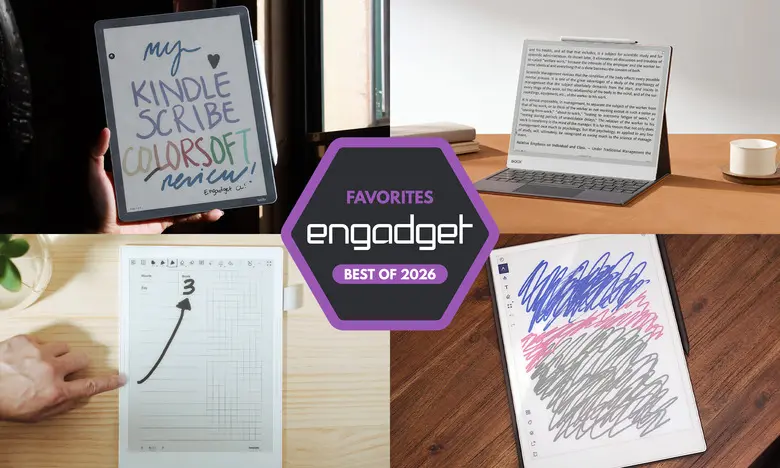
E Ink tablets have evolved significantly since they first became widely available. They offer a paper-like writing experience with the convenience of digital storage, making them ideal for note-takers, readers, and anyone who wants a distraction-free device. After testing close to a dozen models over the past few years, we've found the best options for every need and budget.
Best E Ink tablets for 2026
reMarkable 2
Best E Ink tablet for most people
Screen size: 10.3-inch | Battery life: Two weeks | Network connectivity: Wi-Fi | Capacity: 8GB | Included stylus: No, extra cost | Supported file types: PDF, EPUB
The reMarkable 2 tops our list not because it's the most feature-packed device, but because it provides the best mix of usability, build quality, and writing experience. It weighs less than a pound and has a sleek, minimalist design that feels at home alongside premium gadgets. The 10.3-inch monochrome display is surrounded by beige bezels, with a slim silver accent on the left side that attaches to the optional folio case and Type Folio keyboard.
Writing on the reMarkable 2 is a joy. Both the standard Marker and optional Marker Plus are tilt- and pressure-sensitive, require no batteries, and offer near-zero latency. In testing, the experience felt closer to pen-and-paper than any other device we tried. Reading is also solid, with support for PDFs and ePUBs. You can transfer files via the reMarkable desktop or mobile app, or by connecting Google Drive, Microsoft OneDrive, or Dropbox to your reMarkable account. A Chrome extension even lets you send online articles directly to the device for later reading.
The software is intuitive, offering eight brush types, customizable line thicknesses, and the ability to convert handwritten notes to text with surprising accuracy. A reMarkable Connect subscription adds cloud syncing and unlimited storage, but your first year is free. The main downsides are the price and the fact that the stylus costs extra. Still, for most people, this is the E Ink tablet that strikes the perfect balance.
reMarkable Paper Pro
Best premium E Ink tablet
Screen size: 11.8-inch | Battery life: Two weeks | Network connectivity: Wi-Fi | Capacity: 64GB | Included stylus: No, extra cost | Supported file types: PDF, EPUB
The reMarkable Paper Pro takes everything we love about the reMarkable 2 and adds a larger, color display. Its 11.8-inch Canvas Color screen produces 20,000 colors, making highlights, annotations, and doodles much more expressive. The device is also faster, with a quad-core processor, 2GB of RAM, and pen latency of just 12 milliseconds.
In our testing, the Paper Pro felt zippier than its predecessor. Page refreshes are quicker, transitions are smoother, and the color display lets you layer highlight colors and watch the pixels adjust in real time. The software remains clean and distraction-free, matching the reMarkable ethos. The optional Connect subscription is still required for unlimited cloud storage, but the 64GB internal storage may be enough for many users.
At $629, this is a costly investment, but it earns its "pro" designation. If you want a luxurious E Ink experience with color and are willing to pay for it, the Paper Pro is the way to go.
Amazon Kindle Scribe
Best e-reader E Ink tablet
Screen size: 11-inch | Battery life: Months | Network connectivity: Wi-Fi, Bluetooth | Capacity: Up to 64GB | Included stylus: Yes | Supported file types: AZW3, AZW, TXT, PDF, unprotected MOBI, PRC natively and more
The Kindle Scribe is the best choice for people who want an E Ink tablet that also serves as a full ereader. The latest model has a refined design with uniform bezels, an 11-inch screen, faster processor, and improved front light. Navigating the interface is quicker, and writing latency is even lower than before.
The included Premium Pen is comfortable and magnetically attaches to the side of the tablet. You can mark up Kindle books (though not uniformly), take sticky notes, and create separate notebooks. Amazon's AI Search feature is a bit hit-or-miss, but it can help summarize and search handwritten notes.
The Kindle ecosystem is a huge advantage if you buy most of your ebooks from Amazon. The base model costs $430 but lacks a front light, which we don't recommend. The $500 version includes the improved front light, and the $630 Colorsoft adds a color display. For most readers, the $500 Scribe offers the best balance of value and features.
Supernote A6 X2
Best E Ink tablet for writing and note-taking
Screen size: 7.8-inch | Battery life: Weeks | Network connectivity: Wi-Fi, Bluetooth | Capacity: 32GB, expandable up to 2TB with microSD card | Included stylus: No, extra cost | Supported file types: PDF, EPUB, Word, Text (.txt), PNG, JPG, Comic book archive (.cbz), FictionBook2 (.fb2) and OpenXPS (.xps)
Supernote's A6 X2 (also called the Nomad) is a compact yet powerful note-taking device. Its 7.8-inch screen is highly portable, and the FeelWrite 2 screen protector provides a smooth, paper-like texture. The device is user-repairable, with a replaceable battery and microSD card slot visible through the clear back panel.
In testing, this was the most fun E Ink tablet to use. You can create custom page templates, use the built-in notebook layouts, or import your own. The software recognizes handwriting without requiring conversion, and a keyword feature lets you bookmark important phrases for quick access. The Atelier painting app adds color and art tools, making it versatile for creative note-takers.
The main caveat is that Supernote devices require a bit of tinkering. The software is not as polished as Amazon's or Kobo's, so there's a learning curve. The pen also costs extra. However, for notebook enthusiasts, the A6 X2 is a fantastic choice. A larger 10.7-inch Manta version is also available for $505.
Onyx Boox Note Air4 C
Another color-display option
Screen size: 10.3-inch | Battery life: Weeks | Network connectivity: Wi-Fi, Bluetooth | Capacity: 64GB | Included stylus: Yes | Supported file types: PDF, PPT, EPUB, TXT, DJVU, HTML, RTF, FB2, DOC, MOBI, CHM, PNG, JPG, TIFF, BMP
The Onyx Boox Note Air4 C runs Android 13, giving you access to the Google Play Store and virtually any Android app. You can install Kindle, Kobo, and other reading apps, plus use a web browser. The color E Ink display is great for differentiating notes with colored brushes and highlighting.
Writing latency is minimal, and the Notebook app offers a variety of brush styles. You can add shapes, fill them with color, and even attach voice recordings or web pages to your notes. Handwriting recognition is accurate, though it sometimes mistakes "&" for an "A."
The device is more versatile than most E Ink tablets, but it's not as user-friendly as the reMarkable 2. It also costs $529, which is on the high end. If you want an E Ink tablet that can do just about everything, this is it.
Onyx Boox Note Max
A big-screen option
Screen size: 13.3-inch | Battery life: Weeks | Network connectivity: Wi-Fi, Bluetooth | Capacity: 128GB | Included stylus: Yes | Supported file types: PDF, PPT, EPUB, TXT, DJVU, HTML, RTF, FB2, DOC, MOBI, CHM, PNG, JPG, TIFF, BMP
If you want a massive canvas for notes and documents, the Boox Note Max delivers with a beautiful 13.3-inch Carta 1300 display. It's like writing on a legal pad, and the high resolution (300 dpi) makes text sharp. The included stylus and cover add value, though the total price of $689 is steep.
We particularly liked the Calendar Memo app, which combines a monthly calendar with note-taking. You can tap on any day to jot down work notes, journal entries, or to-do lists, and they'll be stored with your reading progress. The Note Max runs Android 13, so you get full access to the Play Store. However, there's no front light, and the software isn't as polished as competitors, so it's best for those who don't mind a bit of a learning curve.
reMarkable Paper Pro Move
Honorable mention
Screen size: 7.3-inch | Battery life: Two weeks | Network connectivity: Wi-Fi | Capacity: 64GB | Included stylus: Yes | Supported file types: PDF, EPUB
The Paper Pro Move is a smaller, more affordable version of the reMarkable Paper Pro. Its 7.3-inch Canvas Color display is similar to a steno pad, making it highly portable. The build quality is excellent, with ridged edges and a comfortable marker that attaches magnetically.
Software matches the regular Paper Pro, including a drag-and-drop toolbar, note search, and handwriting-to-text conversion. It also supports email upload via mobile and web clients. The main limitation is that it only handles PDF and EPUB files, so it's not ideal as an ereader. At $449, it's a good middle ground for those who want reMarkable quality in a smaller package.
Kobo Libra Colour
Honorable mention
Screen size: 7-inch | Battery life: Up to 40 days | Network connectivity: Wi-Fi, Bluetooth | Capacity: 32GB | Included stylus: No | Supported file types: EPUB, EPUB3, FlePub, PDF, MOBI, JPEG, GIF, PNG, BMP, TIFF, TXT, HTML, RTF, CBZ, CBR, Kobo audiobooks
The Kobo Libra Colour combines a color display with stylus support, letting you highlight and write in the margins of ebooks. It's our current pick for best ereader with buttons, thanks to its premium build, warm front light, and fast performance. The stylus costs an extra $70, but it works well with low latency and good pressure sensitivity.
You can write in ten colors and highlight in four, and the note-taking apps offer both basic and advanced modes (the latter converts handwriting to text). Uploading notebooks to Dropbox or Google Drive is quick, and you can also use a USB-C cable for direct transfers. If you don't need a huge screen or the Kindle ecosystem, the Kobo Libra Colour is a compelling alternative.
Are E Ink tablets worth it?
E Ink tablets are worthwhile for a specific group of people. They're great if you prefer the look of e-paper displays over LCD screens, want a more paper-like writing experience, or are trying to reduce distractions. Many E Ink tablets don't run traditional operating systems, which limits their functionality. Even those that run Android are not designed for casual browsing, as E Ink screens have noticeable refreshes, limited color, and lower picture quality.
The biggest reason to choose an E Ink tablet over an iPad is to avoid the distractions of email, social media, and apps. If you need a dedicated reading and writing device that helps you focus, an E Ink tablet is a solid investment.
What to look for in an E Ink tablet
Writing and latency
The writing experience depends heavily on the display's refresh rate and stylus latency. Most modern E Ink tablets have minimal lag, but some perform better than others. Always check whether a stylus is included or must be purchased separately.
Reading
Consider how much you'll read and what file formats you need. Devices from Amazon and Kobo integrate directly with their respective ebook stores, making it easy to access purchased titles. If you rely on DRM-protected books, a third-party device may not support them unless it runs Android and allows relevant apps.
Search functionality
Some E Ink tablets offer robust search features for handwritten notes, while others are more limited. Look for on-device text search, handwriting recognition, or tagging options if you plan to refer back to your notes frequently.
Sharing and connectivity
Most E Ink tablets support Wi-Fi and offer cloud syncing or companion mobile apps. Some allow exporting notes via email or cloud services. If you use digital note systems like OneNote or Evernote, consider whether you need direct integration or are okay with manual transfers.
Price
E Ink tablets generally range from $300 to $800. Smaller devices tend to be cheaper, but stylus support may not be included. Prices have been rising recently due to supply chain costs, so be prepared to pay a premium for the best models.
Other E Ink tablets we've tested
Onyx Boox Tab X C
The Tab X C is a large 13.3-inch color E Ink tablet from Boox, running Android 13. It's powerful and thin, but at $820, it's more expensive than most competitors. It's best for those who want a premium, large-format E Ink device and are willing to spend heavily.
Lenovo Smart Paper
Lenovo's Smart Paper has solid hardware but is too expensive and relies heavily on Lenovo's cloud service for full functionality. The software is less flexible than the reMarkable 2, and the subscription cost is high, making it a difficult recommendation.
Onyx Boox Tab Ultra
The Tab Ultra is an Android-based E Ink tablet that can function as a low-powered 2-in-1 laptop with its optional keyboard case. While it can browse the web and play videos, the E Ink screen is not ideal for those tasks. It's a niche device for people who prioritize reading and eye comfort over all else.
Source:Engadget News